Being the only one making builds on the project, there has been little need for a build server. Someday I’ll set one up, but for now I just run all builds locally. That doesn’t mean I don’t have a few tools, and I figured they were interesting to post as my first post on this little blog.
Cell Batcher
My world is split into maps (interior and overworld) and my maps are split into cells. A lot of local (not source control) data is baked for both development and build uses. Navmesh and occlusion data, cell previews (used for the ingame map and an editor scene loader), distant cells (simplified prefabs of each cell), and so on.
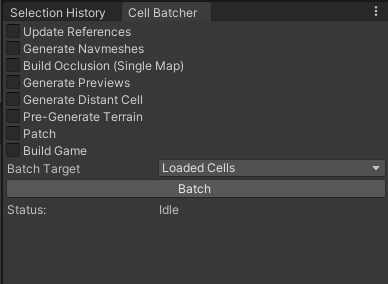
I can target all cells, cells loaded in the scene editor, currently selected cells in the cell selector window, or bookmarks (predefined lists of cells).
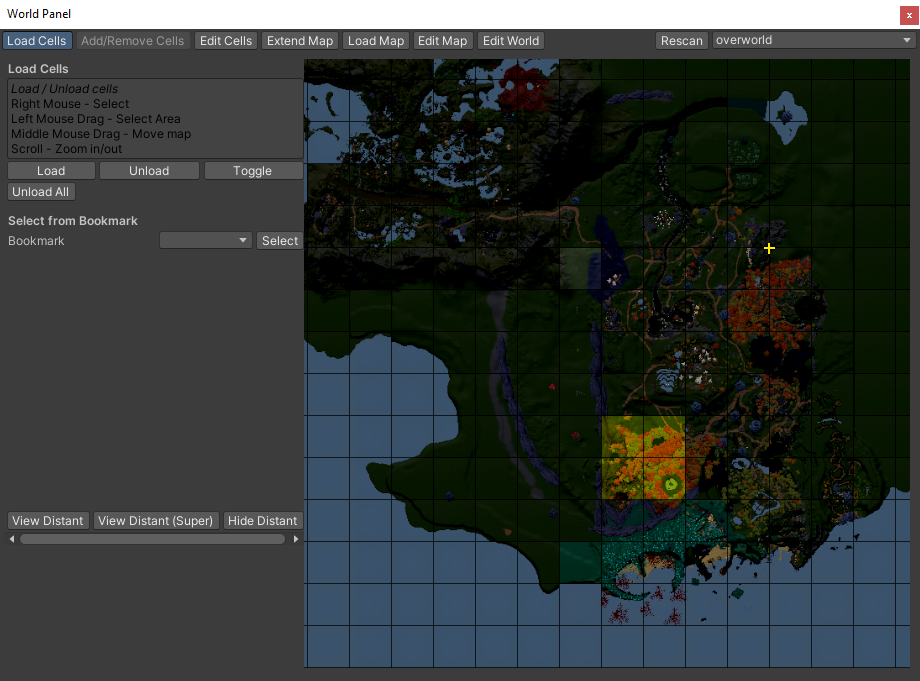
The World Panel Tool is used to load cells in the editor, but can be used to select certain cells to batch / build in a pinch.
Currently this is a VERY rudimentary part of the build pipeline – relying on either baking everything (takes ages) for every build, or just manually remembering what data needs to be updated.
I plan on heavily improving this in the future. Storing separate data for different build profiles (IE demo vs release vs development), and tracking when data needs to be automatically updated (ie detecting a scene has been altered and invalidating certain data) are key additions I’d like to add eventually.
Build Profiles
Each build profile has a configuration (steam appid, analytics info, etc), as well as allows for asset stripping certain directories. I can also define what cells are packed by default.
Builder
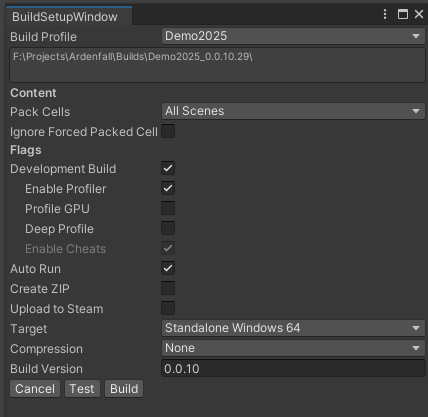
The actual build tool gives a handful of helpful options.
The most interesting is the Pack Cells feature. I can pack all scenes, certain bookmarks, selected cells, and so on. This makes it very easy to only build areas I care about – for the demo I just pack certain cells, and for a development build I may just pack a single cell I want to test!
There’s also various development flags and other standard build flags.
Build versions are by default automatically generated, but I can force a certain build version if I desire.
Steam Uploader
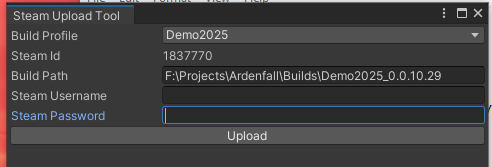
I’ve also made a little tool to automate steam uploads. It simply hooks into Steam’s
Source Control Tooling
While not quite related to build tooling, the Source Control tooling is tangentially related. It is also a fun example of building something fancy that ends up being unnecessary.
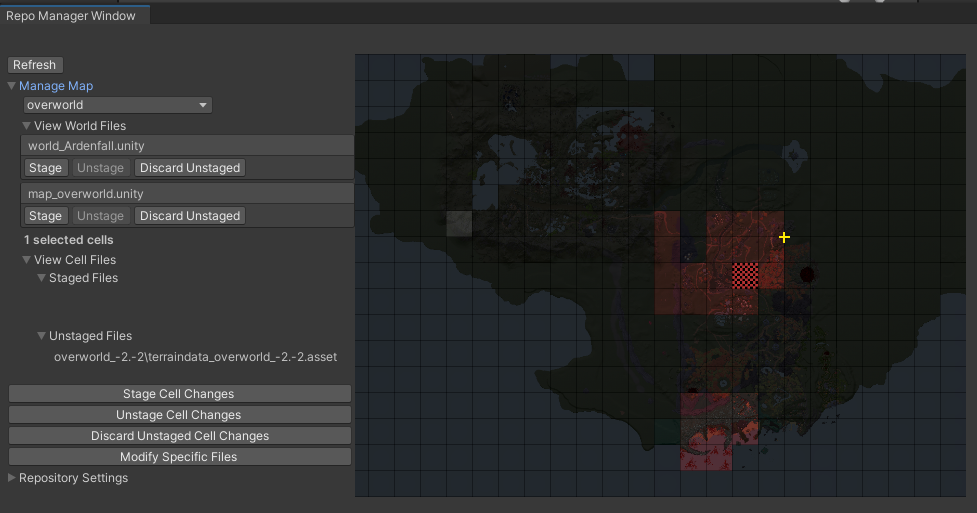
A few years ago, I built this very fancy cell git tool, that detects cell data being modified via git, and allowing for certain cells to be easily discarded, staged, unstaged, and so on.
After a few months of seeing the level designers rarely push their work (even with my nagging), I considered an alternative: a single button to stage everything currently loaded.
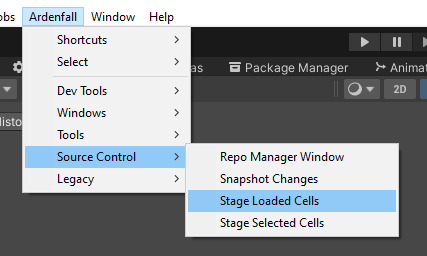
Think of the workflow the devs are doing – they are loading some cells, and doing work. Thus, a button that just stages the loaded cells is really all they need to do! Naturally they need to also push other assets they may have altered – prefabs, materials and so on. But my tool was never meant to resolve that anyways! Lesson learned.
I will still use the full tool every once in a while, but not enough to make it worth it. It’s usually much faster to just stage selected or loaded cells, then discard anything in staging.
End
Well, that’s it for build tooling. Nothing groundbreaking, but still some fun features that makes my life easier. The steam tool in particular has been a huge help! I hope something here gives you an idea for your own project.
Leave a Reply